Advanced Patterns For Cost- and Time-Efficient Development with Copilot, Claude Code or Codex

The topic of efficient coding agent usage is often associated with well-known heuristics such as “use smaller models” or “write concise prompts.” While these are legitimate pieces of advice, we believe that they are only the tip of the iceberg. Today, we discuss advanced patterns spanning the entire developer workflow that help reduce both time and token costs.
Mini-glossary for coding agents
LLM is a large language model, you likely know this one already!
Agent is a program which uses an LLM to make decisions. For example, an appointment booking agent could be a conversational program that checks available dates, asks the user for their preference, converts the user’s “next Tuesday after lunch works” into a precise timestamp, confirms availability, makes the booking, and answers any follow-up questions.
Coding agent is a very powerful kind of agent which “lives” in your development environment: it can analyze files in your repository, prepare and apply edits, create new files following contributing guidelines. Notably, it can write, execute, and analyze outputs from terminal commands, which unlocks a whole myriad of capabilities that involve a real computer use. For example, you can prompt it to go to your photos directory, organize them into yearly buckets, zip each of them and upload to a cloud backup. In other words, their capabilities go much further than just writing and analyzing code.
Most notable examples of coding agents are Claude Code, GitHub Copilot and Codex.
When interacting with an LLM, for example through a coding agent, a certain cost is always incurred. It’s based on used input, thinking, and output tokens. Let’s explain what they are:
- Tokens (in general) are building blocks of any text going in and out of an LLM, more or less 4 characters in length, for example: “tokens |are |build |ing |blocks”.
- Input tokens are what the agent is consuming in order to work: user’s prompt, files read, outputs from commands run.
- Thinking tokens are what the agent is “thinking out loud”: a monologue in which it breaks down the user’s request, plans steps, and critically judges all intermediate outputs.
- Output tokens are what the agent is producing: response message, commands to run, new code to apply.
To obtain a final cost, the number of tokens must be scaled by a model-specific factor, often measured in dollars per million tokens. At the time of writing this, top tier models like Claude Opus 4.7 are priced at $25/1M output tokens and $5/1M input tokens.

Patterns to follow
Prompt only with actual instructions, not additional context
This is probably the most important tip. Most likely you have worked with a chatbot like ChatGPT for a longer time than you have worked with a coding agent, and you might have gotten used to some habits that no longer pay off in the coding agents era.
- Want to use an agent to analyze a dataset, such as a CSV file? Never drop the data directly into the prompt. Instead, make sure that the file is “visible” to the agent – it’s in the directory where the agent is run. Then, only ask the actual question, for example, “Group items by category, calculate counts, min and max values.” An agent can write a custom script and run it, for example with Python and numpy, to perform the calculations and only see the operation’s output. That way, the whole dataset never goes directly through the agent’s context, massively reducing token cost.
- Want to reference some code? Pasting hundreds of lines of it directly into the prompt is also not the best idea, especially if not every line is really relevant. Instead, refer to existing code by file path and object name (in CLI mode) or by drag-and-dropping it into the conversation window (IDE extension mode). Any coding agent’s core capability is efficient discovery and analysis of source code found in the repository.
- Want the agent to find the root cause of an error? Good idea, but don’t paste 10,000 lines of log output directly into the prompt. Instead, point the agent to a file where the log output is saved, and let it use CLI tools like grep to ingest only important parts.
Don’t hesitate to build small tools
Developers have always had a tendency to build tools that would help them automate parts of their job, especially if something requires a repeated, uncreative effort. Think of an Excel spreadsheet that has to be reorganized and moved to a different format. Or a bunch of files that must be copy-pasted from one nested structure to another.
However, in the past, building tools would not always pay off. “I spent 10 hours to automate 10 minute job” became a notorious anti-pattern and a subject of developers’ self-mockery, like this meme below:
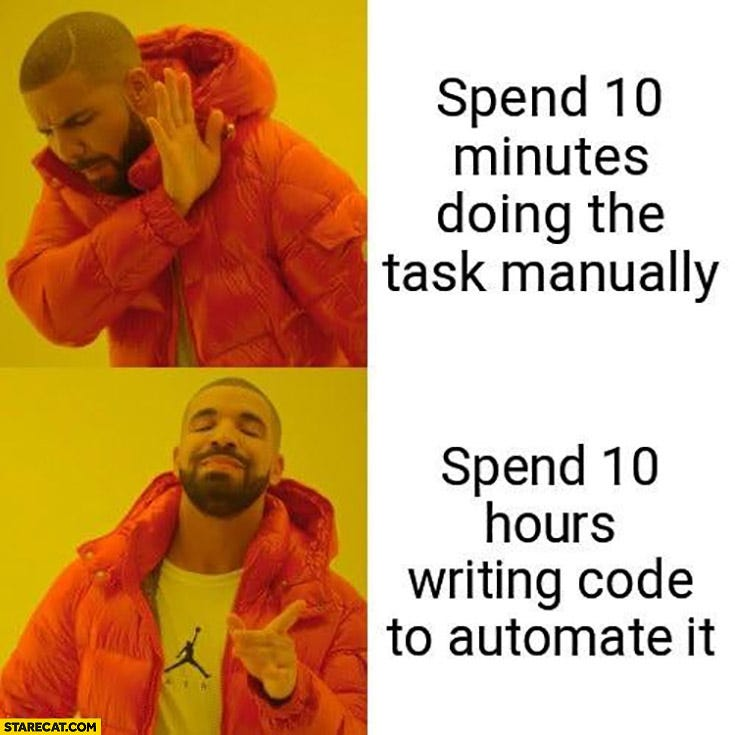
The introduction of coding agents changes the time required to build a tool from hours to minutes, which justifies implementing almost any automation you can think of. We’ve shared a concrete example of this before: building a clinical trials AI assistant in hours.
Pattern for building productivity tools with coding agents:
- Describe your task to the agent and ask it to plan how to wrap this up as a reusable script. Provide context: what is your task, what are your current inputs and what they possibly could be in the future, and what is the expected outcome. For example: “At [input path] there’s an Excel file from which I’m extracting [columns]. I’m doing [transformation] and storing it at [output path]. Plan how to create a Python script that automates as many steps as possible, while sticking to a single-responsibility principle, avoiding heavy side effects, and reusing packages already available in the repository.” The agent will most likely ask a couple of follow-up questions to clarify what else can be expected in the input, and how to handle edge cases.
- Build a standalone script. Continuing with a Python example, the next prompt could be “Now create a standalone script based on the plan. It should be possible to run it directly from the console. If passing arguments is required, use the standard
argparselibrary. Document parameters and the purpose of the script itself.” - Don’t hesitate to add the script to the project repository. If it’s well-documented and working standalone, then why not? Chances are you or other people on your team will find a use for it in the future. It’s good practice to have a separate directory, like “scripts”, and a description of each of them in a highly visible place like a README.md file.
Letting the agent solve your problem without leaving a reusable solution is a new anti-pattern. By default, the coding agent will prioritize just getting the thing done, without leaving much trace. But if you expect that you or your colleague will be doing the same chore again, it’s just so much easier if an agent generates code once, and then you can safely reuse it without worrying if it will do it right this time.
Make agent reuse existing tools
In the previous section, we discussed that it’s worth instructing the agent to wrap its solutions as reusable scripts. It’s good if human contributors can use them, but what about other agents?
Coding agents, without being prompted specifically, might miss existing functions or tools already available and create bespoke solutions from scratch again and again.
That problem has two subtypes:
- Agent not using a custom tool that already exists and does exactly what the user has prompted for. This happens most likely because the agent doesn’t have a certain “registry” of tools or scripts available in the repository. It only does a high-level scan of file structure and reads what looks like documentation. To fix it, make sure that any reusable tools are mentioned in README.md or AGENTS.md.
- Agent writing code which should have been generated by framework’s tooling. We see this peculiar issue often: create-react-app boilerplate, Alembic migrations, Django apps. In all of those cases, the framework provides a canonical tool to create files based on an up-to-date template. However, coding agents have a tendency to omit using a tool and generate those files “from memory”, often mixing patterns from different framework versions. To avoid it, either prompt the agent directly to use a terminal command if available, or ask it to check the framework’s documentation and follow it step by step.
To summarize: don’t expect the agent to reliably pick up an existing tool without giving it a chance to see it.
Don’t rely on “one-shotting” tasks
One of the most exciting things we notice in coding agents is their ability to do large chunks of work in one shot. We have already seen whole applications designed, developed, tested and deployed after writing just one prompt. AI companies – providers of coding agents – love to showcase this as a benchmark. (For a more measured take, see our own AI-assisted development workflow for a Shiny dashboard prototype.)
However, one-shotting is rarely ever an effective way of getting a task done. In reality, we are not that great at expressing our precise expectations upfront. Leaving an agent to “just do the whole work” in the background might be tempting, but the outcome is not likely to match what we imagined.
If you start prompting the agent to fix issues you found in the one-shotted solution, it will hesitate to undo poorly designed architecture decisions, and instead will prefer adding new code on top of what already exists. The result is a mess: odd or plain wrong abstractions, multiple imported packages with overlapping capabilities, repeated, “duct-taped” code.
Additionally, an agent’s ability to one-shot a task is mostly possible due to an extensive “thinking loop”. This is not only about the LLM generating a stream of tokens, but also about significant tool usage, which affects input tokens. An agent will read and analyze existing code, browse through local documentation, and even check online for up-to-date information and patterns.
Patterns for efficient organization of the work:
- As a rule of thumb, remember that agents are more likely to write redundant code rather than delete what’s no longer necessary.
- If an agent has done a bad job, it’s likely cheaper and faster to completely undo a change and start from scratch rather than try to iteratively address all issues. Just make sure that on the retry, you use an updated prompt in which you clarify things that went wrong the last time.
- Start a new conversation window as soon as the previous context is not necessary. Every input token counts. It not only affects the cost, but also the accuracy: anything irrelevant in the input can, and likely will, change the output in an unexpected way.
- If a job has non-overlapping parts, split them. Discovered a UI bug while working on a backend task? Don’t mix it in a single prompt. It’s not only good for efficient work with AI, but your teammates will also thank you if you do small, single-purpose commits.
Test aggressively
Automated tests (e.g. unit, integration, e2e) act as a safeguard against breaking functional requirements: with good enough coverage, you can feel safe doing any refactoring, because introducing any new bug should be caught by a failing test.
Proper test setup is more important than ever in the agentic world. Agents will update and rewrite code all the time. To an LLM, it’s not obvious that changing a certain line in an existing function might break some expected behavior, especially if it’s not well documented.
Key patterns to follow:
- Ask the agent to run tests and iterate on errors. When working on a new feature and preparing a prompt, just throw in “Run tests before and after changes to verify if nothing breaks - if it does, iterate until it’s working.” It will greatly increase the success rate of your interactions with the agent. In another section, I’ll explain how to enforce that behavior without adding it to every prompt.
- Use agent’s help to increase test coverage, but don’t cede ownership. It’s tricky: creating tests is oftentimes a dull, repetitive task involving a lot of boilerplate setup. Agents are seemingly perfect at generating massive amounts of test cases that look good. However, it’s still the developer’s responsibility to review tests and verify if they cover all functional requirements. A good pattern to follow is to build the initial test suite manually, then let the agent create more cases with other edge scenarios or complex setups.
Standardize instructions
Based on what we’ve said so far, you might worry that from now on, your average prompt will contain half a dozen additional commandments with dos and don’ts for the agent. Thankfully, there are ways to mitigate that.
It’s worth building a shared, agentic setup for all contributors in the repository. Think of a documentation page that’s written specifically for agents to read. It should include things we’ve already discussed:
- List of scripts that can be used for everyday chores and for generating code from a template
- Declaration of test-driven development, e.g. “Unless prompted specifically not to, if you are developing a new feature, run tests before and after implementation, iterate on errors until it’s working, and proactively increase test coverage”
- Clear expectations of what steps in development flow are up to the agent, and what are up to the developer. Remember that the agent has terminal access, so it can do everything including committing and pushing changes to your remote repository. If you want that to be always done manually, you can put that in that document as well.
How to store that documentation? There are multiple approaches to do that, but probably most popular are:
- A section in a README.md file
- A separate AGENTS.md file written specifically for agents to read, preferred above README.md
Final remarks
Some of the tips mentioned are not necessarily new inventions that came with the introduction of agents. They are based on decades-old software engineering principles, such as test-driven development, single-responsibility principle, or just keeping detailed and meaningful documentation.
Before coding agents, many developers were occasionally guilty of neglecting those fundamentals. They would be favoring quantity over quality, postponing documentation work, or treating tooling and tests as secondary concerns. Today, however, the value of clear and meaningful written information is higher than ever. Well-structured documentation, reliable testing, solid tooling, and finally, writing effective prompts are all essential for getting the most out of modern coding agents.